Why your link preview works in Slack and breaks on LinkedIn
og:image isn't one setting. It's a negotiation with a dozen crawlers that each fetch differently, cache separately, and forgive nothing.
You paste a URL into Slack and a clean card appears: image, title, description. You paste the same URL into LinkedIn and get a bare blue link, or a card with the wrong image from three deploys ago. Nothing about your page changed between the two. What changed is who fetched it.
The Open Graph protocol, minus the mystique
Open Graph is a set of <meta> tags in your page's <head>, defined by the OGP spec at ogp.me and originally shipped by Facebook in 2010. Every platform that renders a link (Slack, LinkedIn, X, iMessage, WhatsApp, Discord) runs its own crawler that fetches your HTML, reads those tags, and builds a card. There is no central preview service. Every card you have ever seen was assembled independently by the platform showing it.
The spec marks four properties as required:
| Tag | What it sets | If it's missing |
|---|---|---|
og:title | the headline on the card | crawler falls back to <title> |
og:type | website, article, object… | most crawlers assume website |
og:image | the picture | no image, the card shrinks to a text link |
og:url | the canonical URL of the page | crawler uses whatever URL it fetched |
Here is github.com, fetched with curl. No browser, no JavaScript:
$ curl -sL https://github.com | grep -io '<meta[^>]*og:[^>]*>'
<meta property="og:image" content="https://images.ctfassets.net/…/GH-Homepage-Universe-img.png" />
<meta property="og:image:alt" content="Join the world's most widely adopted, AI-powered developer platform…" />
<meta property="og:site_name" content="GitHub" />
<meta property="og:type" content="object" />
<meta property="og:title" content="GitHub · Change is constant. GitHub keeps you ahead." />
<meta property="og:url" content="https://github.com/" />
<meta property="og:description" content="Join the world's most widely adopted, AI-powered developer platform…" />
Notice og:image is an absolute URL on a different host, images.ctfassets.net, which is GitHub's CDN. That is not a style choice. A crawler fetches og:image as its own separate HTTP request, with no page context to resolve against. og:image set to /images/card.png has no base URL from the crawler's point of view, so the image silently disappears. Always give og:image a full https:// URL.
The 1200×630 number
The universal image size is 1200×630 pixels, a 1.91:1 ratio. That is the shape Facebook and LinkedIn render the large card in, so an image at that ratio fills the frame with no letterboxing or center-crop. Go below roughly 600×315 and Facebook downgrades you to a small square thumbnail instead of the wide card. Go much above 1200 wide and you are shipping bytes nobody sees.
On file size, platforms differ: Facebook accepts images up to 8 MB, while X and LinkedIn cut off around 5 MB. None of that is a target — smaller is faster to fetch and less likely to time out. GitHub's card image is about 604 KB:
$ curl -sI "https://images.ctfassets.net/…/GH-Homepage-Universe-img.png"
HTTP/2 200
content-type: image/png
content-length: 618778
cache-control: max-age=31536000
content-length: 618778 is roughly 604 KB. content-type: image/png matters too: a crawler that asks for an image and gets back text/html (a login page, an error page) drops the card.
twitter:card, and how X falls back
X reads its own twitter: namespace first and falls back to og: when a twitter tag is absent. The one twitter tag worth setting is twitter:card, which picks the layout. summary_large_image gives the wide image card; without it, X can render the small square summary even when your og:image is perfect. GitHub sets both namespaces:
$ curl -sL https://github.com | grep -io '<meta[^>]*twitter:[^>]*>'
<meta name="twitter:image" content="https://images.ctfassets.net/…/GH-Homepage-Universe-img.png" />
<meta name="twitter:site" content="@github" />
<meta name="twitter:card" content="summary_large_image" />
<meta name="twitter:title" content="GitHub · Change is constant. GitHub keeps you ahead." />
<meta name="twitter:description" content="Join the world's most widely adopted, AI-powered developer platform…" />
One trap hides in that block: twitter: tags use name=, while og: tags use property=. Swap the attribute and the tag is ignored.
Where it goes wrong
This is the section people arrive broken for. Four failure modes account for most of it.
Relative og:image URLs. The single most common cause of a missing image. The tag validates, the page looks fine in a browser, and the crawler still gets nothing, because a relative path has no base to resolve against once it leaves the page.
The image is blocked for bots. Your page loads for you, but og:image sits behind auth, a signed CDN URL, or a WAF that returns 403 to any user-agent it doesn't recognize. Social crawlers announce themselves plainly: facebookexternalhit, LinkedInBot, Twitterbot, Slackbot. A bot-protection rule that blocks unknown agents blocks these too, and the card renders with no image. Allowlist those agents to the pages and images you want previewed.
A redirect between og:url and the real page. You set og:url to https://example.com, but the site 301s to https://www.example.com. Now some crawlers cache the card under one URL and some under the other, and like counts and comment threads split between two links that are supposed to be the same page. Keep og:url identical to the URL that actually serves the page after every redirect: the canonical.
The tags are rendered in JavaScript. This is the Slack-versus-LinkedIn case, and the nastiest. Social crawlers fetch raw HTML and do not run JavaScript. If your single-page app injects og: tags client-side after React mounts, the crawler sees an empty <head>. You tested in Slack while a cache was warm and it looked fine; LinkedIn's bot got the bare HTML and showed nothing. The fix is to server-render or prerender the meta tags so they exist in the first HTTP response. Everything a crawler knows about your page, it learned from the HTML that curl sees.
Seeing it yourself
Reading tags with curl and grep works, but it doesn't show you what each platform will actually draw. The Open Graph Preview tool fetches a URL's og: tags and renders the card the way Facebook, X, LinkedIn, WhatsApp, and Apple's Messages each build it, so you catch a truncated title or a wrong-ratio image before you post it.
Paste a URL into the Website URL field and hit Check Website. The Preview card gives you a tab per platform, and the differences between those tabs are the whole point. Facebook shows the title and description under the image; LinkedIn shows the title and domain only; X overlays the title on the image and drops the description entirely. A description you tuned for one network can be invisible on another.
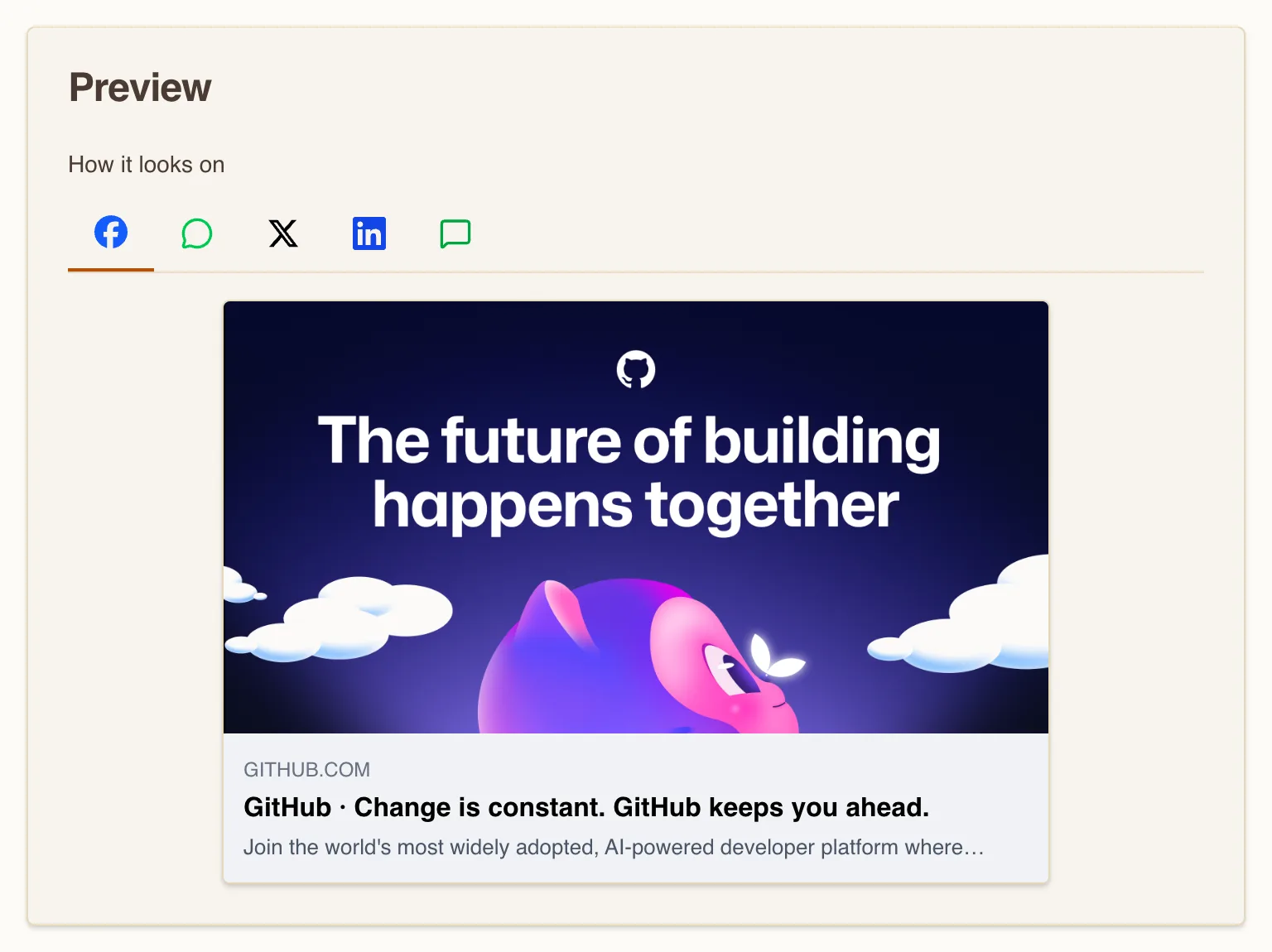
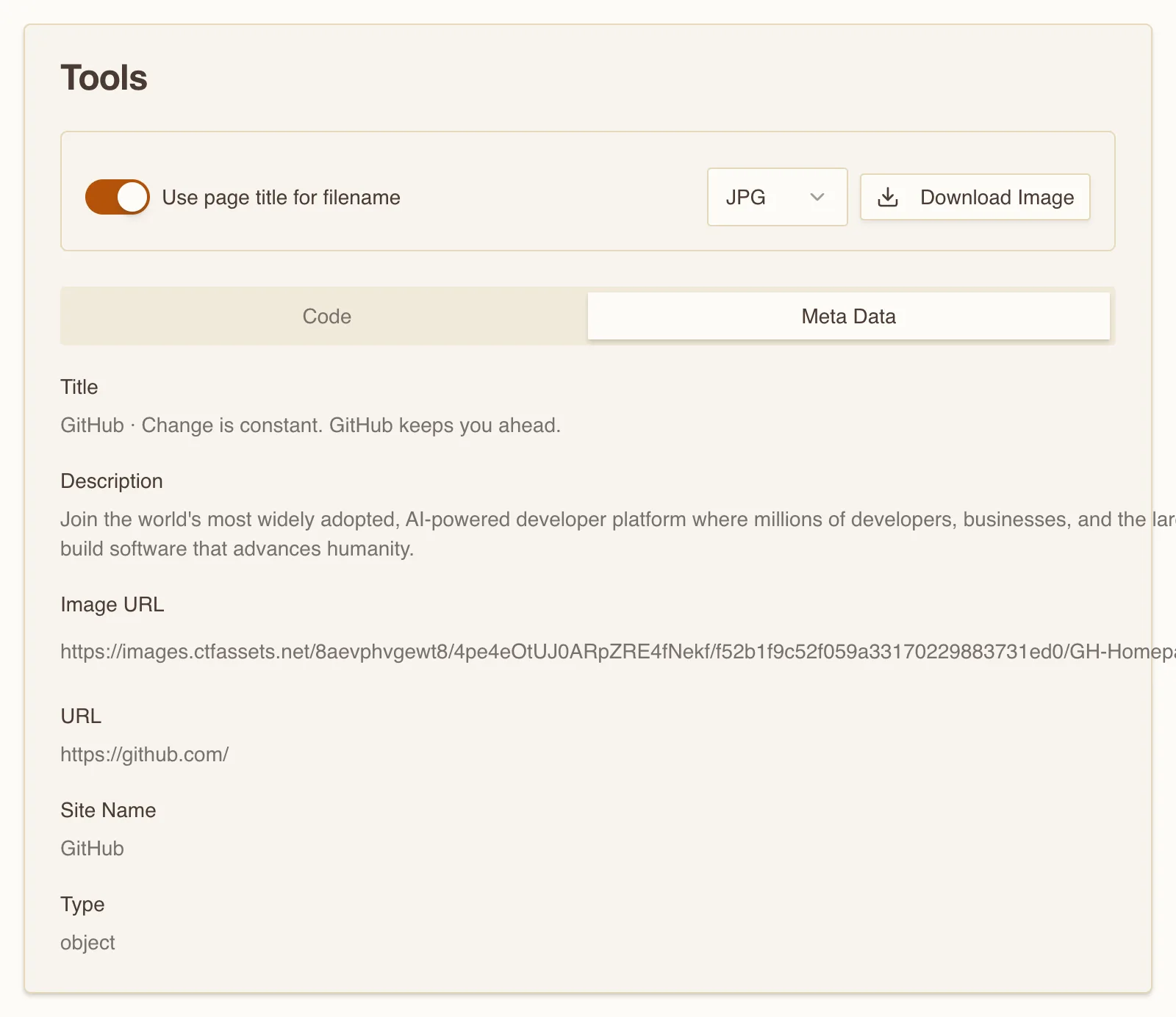
Below the previews, the Meta Data tab lists exactly what the crawler parsed: og:title, og:description, the resolved absolute og:image URL, og:url, site name, and type. The Code tab hands you those tags ready to paste. If a field is blank here, that is the field a platform is falling back on or dropping.
The card at the bottom of the page lists each platform's target size. The universal answer is 1200×630; the tool's own guidance is to keep the file under 8 MB, which is Facebook's ceiling and comfortably above what X and LinkedIn allow.
What to actually do
A short checklist prevents most broken cards:
- Set all four required tags:
og:title,og:type,og:image,og:url. - Make
og:imagean absolutehttps://URL, 1200×630, well under 1 MB, and reachable without auth. - Add
twitter:cardset tosummary_large_imageso X draws the wide card. - Keep
og:urlequal to the post-redirect canonical URL. - Confirm the tags are in the server's HTML, not injected by JavaScript.
When you need to write the tags rather than inspect them, the Open Graph Generator builds the full block, twitter tags included, from a short form.
One last thing about caching, because it causes more "but I already fixed it" confusion than anything else. Every platform caches your card, often for days, and re-scrapes on its own schedule. After you change a tag, the old card sticks. Facebook and LinkedIn each give you a scraper you can force by hand: the Sharing Debugger and the Post Inspector re-fetch the page and refresh the stored card immediately. X retired its Card Validator in 2022, so there is no refresh button there; a corrected card waits out the cache, roughly a week. Fix the tags first, then force the re-scrape. Otherwise you spend an afternoon debugging a page that was already correct.